OpenClaw Review
I spent a week tinkering with OpenClaw. It is rough in places, but the potential here is serious.
- Tools
- AI
- Review
For the past week I’ve been tinkering with OpenClaw. Overall, I think this tool has serious potential. Like, change your life and change the way you work kind of potential. But as of right now, it feels like I’ve been trying to get my toddler to put their shoes on for the past seven days. I know it’s possible. I’ve seen it happen before. But every single time, it’s a negotiation, there’s always a meltdown, and somehow one shoe ends up at the bottom of the stairs in the basement.
What Is OpenClaw?
OpenClaw is an AI-powered automation bot. The idea is simple and compelling: set up tasks, research, dashboard updates, data syncing, scheduled jobs, and let the bot handle them autonomously. No babysitting (HA!). You configure it, point it at your workflows, and walk away. That was the dream, anyway.
I was sold on that dream. I wanted to automate research tasks, keep dashboards updated, sync data from APIs, and run scheduled morning briefs. Basically, I wanted a tireless digital assistant running in the background while I focused on other things.
My Setup, AKA The Jank Station
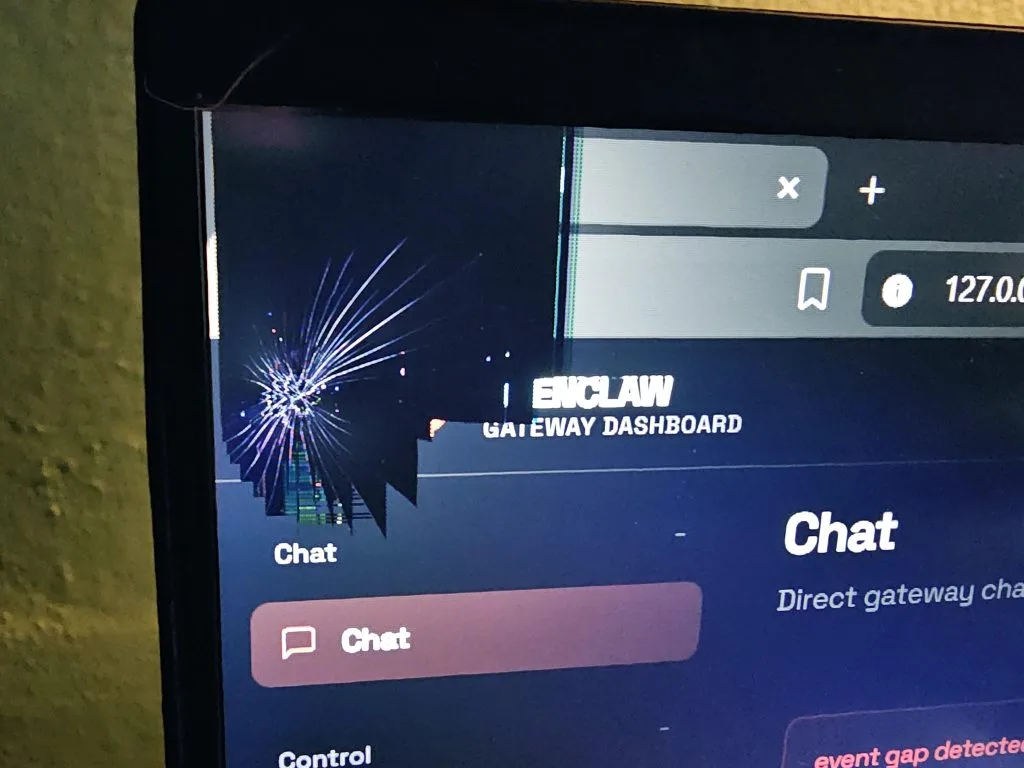
I should mention that I’m not running this on some beefy cloud server. I’ve got an old PC running Windows that I’ve repurposed as my automation machine. It sits there, humming away, running OpenClaw and its cron jobs like a little workhorse. It’s not glamorous, but the whole point was to keep things simple and cheap with no monthly server fees, no complicated DevOps setup. Just a dusty ole laptop doing its thing.
And honestly, when it works, it works great. The problem is getting it to that point.
The Reality
When I first started setting things up, I had 11 overlapping cron jobs. It was chaos. Jobs were stepping on each other, things were running when they shouldn’t have been, and the whole system felt like it was held together with duct tape. I eventually whittled it down to four essential jobs: a main work loop for research and dashboard updates, daily morning briefs, API synchronization, and weekly maintenance reminders. That cleanup made a huge difference.
But the bugs.
Browser extension issues. Power management settings randomly putting the machine to sleep mid-task. API rate limiting that would silently kill a job and leave me wondering why nothing updated. Every time I thought I had it dialed in, something new would break. It wasn’t just one catastrophic failure, it was death by a thousand paper cuts.
And then there’s the cost.
I’ve watched dozens of videos with people already in the community saying that running OpenClaw heavily should cost around $150 a month. Reasonable, right? I burned through about $100 in three days. When your bot is hammering API calls, especially if you’re running the new Claude Opus 4.6 as your primary model, costs add up fast. I had to go back and configure fallback models just to keep things from spiraling. It’s the kind of thing that should probably be better documented or handled more gracefully out of the box, but here we are.
What I Actually Like
Despite all of that, I keep coming back. Because when OpenClaw is running smoothly, and when the cron jobs are firing on schedule, the research is getting done, the dashboards are fresh, and it genuinely feels like the future. The concept is there. Having an AI agent that can autonomously loop through tasks, pull data, and surface what matters to you? It’s incredibly powerful.
I also appreciate that it’s flexible. The fact that I can run it on a beat-up Windows desktop instead of needing a cloud setup is a real plus.
Seriously, look at this beat up clunker:
The Bottom Line
OpenClaw is a tool I’m genuinely excited about, and I plan to keep using it. But I’d be lying if I said the experience has been smooth. It requires patience, a willingness to dig into configs and logs, and a tolerance for things breaking in weird ways.
If you’re the kind of person who enjoys getting systems to work and who finds satisfaction in finally nailing that automation flow after debugging until 2 in the morning, you’ll probably love it. If you want something that just works out of the box, give it some time. It’s not there yet.
But I think it will be. And when it gets there, it’s going to be a game-changer.
For now, though? I’m just trying to get the toddler to put the shoes on.